Clean Loop vs Dust & Movement
A clean drum loop, then the same bars printed through Dust — grit, motion, tightened pocket.
Case No. 12.47 — Open
v12.47.17 · Free 14-day trialMake clean sound feel lived-in. Dust 12.47 is a vintage sampler you play, not just an effect you set: bend speed and pitch live the way the early machines did, pour on grit, gated texture, and movement — and catch every discovery in the Vault. One machine instead of a six-plugin chain.
Trial: fully functional · 14 days · no card — one email unlocks the download. Or buy it outright: $97 one-time, licence on two computers.
macOS 12+ · Apple Silicon & Intel · Windows 10/11 (VST3) · AU + VST3
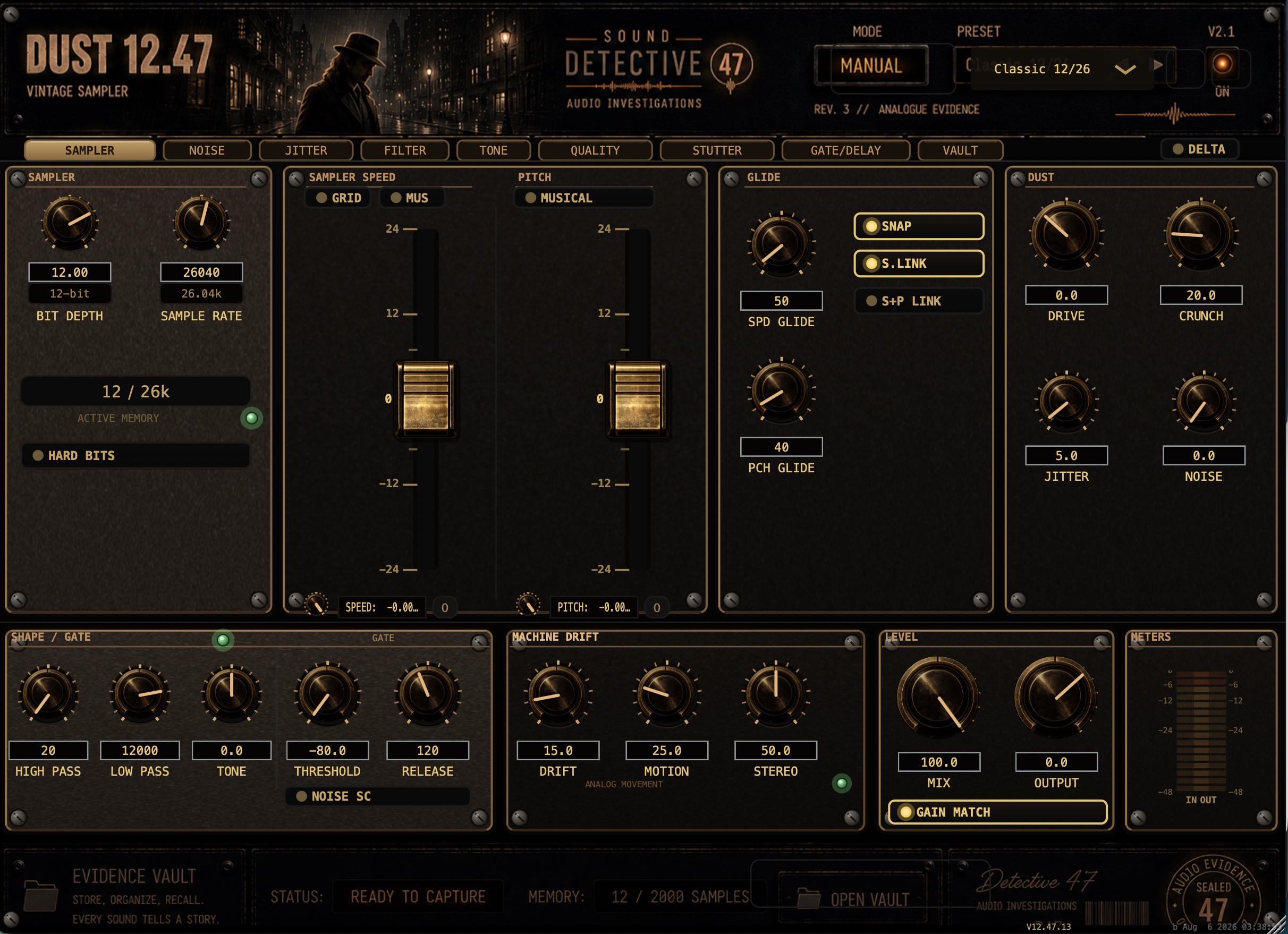
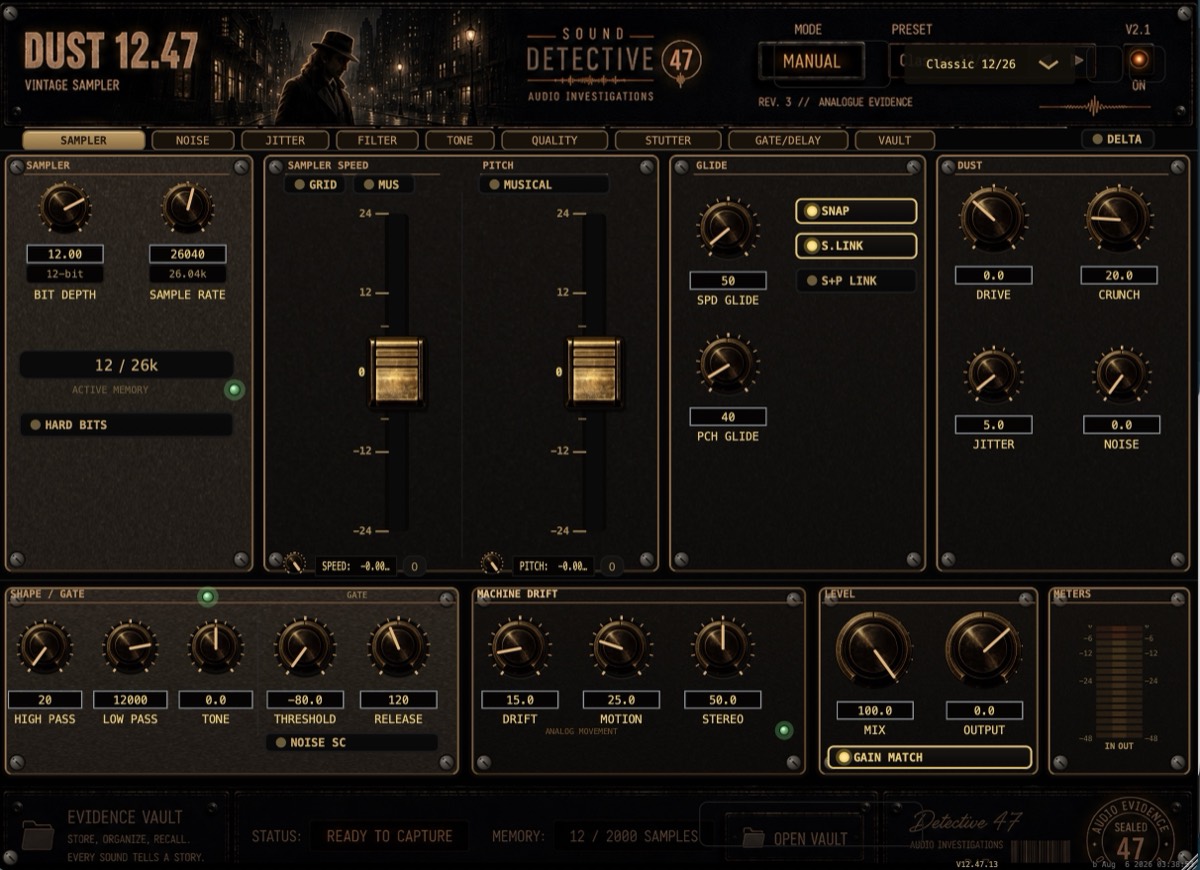
Pristine recordings can feel frozen in place. Building believable dirt and movement usually means stacking saturation, filtering, modulation, gating, delay, and bit reduction — then automating the whole chain and hoping it survives the next revision. Dust 12.47 puts those treatments inside one connected instrument for character.
It runs from barely-there to unrecognizable. The point isn't lo-fi for its own sake — it's the interaction between texture, movement, quality reduction, filtering, gating, stutter, delay, and drift, in one signal path you can push as far as the record wants.
And underneath all of it is a sampler in the oldest sense. The Speed fader is a real transport on a real buffer — pitch and time move together, exactly like dragging the speed control on early hardware. Ride it live over the track, glide a fall into the downbeat, snap it to musical ratios or intervals, and the machine bends whatever is playing through it. When the bend turns into the best sound of the session, the Vault is already listening.
Six exhibits, one rule: each is the dry take and the same bars through Dust 12.47 — level-matched, one switch apart, named for the factory preset that makes it.
A clean drum loop, then the same bars printed through Dust — grit, motion, tightened pocket.
A clean lead vocal, then tucked into gated, dusty texture that breathes with the phrase.
A frozen synth part set in motion — machine drift, movement, filtered decay.
A clean guitar figure aged into smeared, worn repeats.
A finished bounce, then the same bounce with a light dusty coat across the whole mix.
One familiar source pushed all the way — pitch fall, stutter, crushed texture, new identity.
The exhibits are being printed at the studio now — dry/wet pairs land here as they're finished. The trial has all of it today.
Download the Free TrialFollow the signal through the machine — from clean source to subtle movement, fractured rhythm, filtered decay, and full dust.
Demonstration film and filmed field tests are in production — the case file list sees them first.
Every section of the panel — what it is, what it sounds like, what to pair it with.
Read the full operations manual →
Two independent ±24-semitone faders. Sampler Speed is a true variable-speed transport — pitch and time move together, exactly how the early samplers did it, and it responds live while the track plays. Pitch is a separate shifter that moves pitch alone. Each fader has its own glide time, its own blend against the clean signal, snap, and link switches. Grid Mode locks speed to musical ratios; Musical Mode snaps pitch to intervals.
The degradation core. Bit depth from 2 to 16 bits with two quantizer characters — Warm is companded like a vintage 12-bit sampler — the noise gets quieter when the music does, riding the signal like tape hiss; Hard is straight truncation with a noise floor that chews into decays. Sample-rate reduction from 4,000 Hz up to 44.1 kHz. Drive gives −12 to +24 dB into a Crunch stage built to add distortion, not loudness.
Jitter adds per-sample instability — the small timing misbehavior that makes digital feel mechanical. Noise lays a hiss bed under the signal — and the gate can key from it, so the noise floor itself becomes a modulator.
The framing section: high-pass and low-pass for lo-fi framing, telephone tones, and radio-dial moves, plus a Tone tilt to darken or brighten the character without reaching for an EQ.
A full character gate that listens to the processed signal: threshold (manual, with an optional auto-track mode), range, attack, hold, release, hysteresis, and curve — keyed from five detector sources, including the noise bed. Gated texture that opens and closes with the performance is the signature move here.
Modeled wow and flutter — not random jitter. Two smooth movements per channel (slow wow, faster flutter) bend pitch and time the way an aging transport actually does, with a genuine stereo stage that widens without breaking mono. At zero there is no movement at all.
Global wet/dry Mix, Output trim, and Delta Mode — solo only what Dust is adding. Delta is the honesty switch: hear exactly the dirt, movement, and texture being printed, nothing else. Gain Match (on by default) keeps the output RMS-matched so extra loudness never masquerades as extra character.
Beat-synced speed-up recycle. Locks to host tempo from 1/64 to 1/1 — dotted and triplet divisions included — or runs free from 20 to 2000 ms, with its own blend amount and two blend modes (Depth / Mix).
A character echo with four voicings — Drum, Tape, Rack, Modern — and four routings: Stereo, Ping Pong, Dual Mono (independent left/right time, feedback, and sync division, with a link switch), and Motion. Tempo sync, ducking, modulation, width, tone, and dedicated high/low-pass filters on the repeats.
A resonant filter with three models — Ladder, Vintage, Sampler — its own drive, mix, and a self-animating Movement control, placeable at five points in the signal chain: before or after the dust, around the tone stage, or on a parallel blend.
Five color models — Punch, British, Console, Ladder, Dust — each a distinct harmonic and EQ character, with the saturating shaper placed before the EQ and calibrated makeup gain. At zero it is transparent, and automation is zipper-free.
Three reconstruction characters for the fader engine — Vintage, Smooth, High — plus recovery controls (Body, Anti-Thin, Recover, Transient) that decide how much fidelity survives extreme speed and pitch moves. Vintage keeps the un-clean sampler artifacts; High cleans up after them.
A capture recorder built into the plugin. Record up to 60 seconds of the final output per take, straight into a WAV library with waveform view, region editing, fades, and loop audition — then re-process a captured loop back through the whole Dust chain. Sounds you stumble into stop escaping.
Dust 12.47 isn't a rack of separate effects — the sections are built to interact. Six field techniques, straight from the operations manual:
Duplicate the source, push The Dust hard on the copy, keep the original clean, and mix the wreckage underneath. Texture without casualties.
Musical Mode plus a long glide: pitch falls that land on intervals instead of between them. Drops that are in key.
Key the gate from the noise bed — the hiss drives the gate, and the noise floor becomes rhythm.
Machine Drift on a duplicate, tucked under the original: width and motion that read as an instrument, not an effect.
Flip Delta Mode, print only what Dust adds, and mix that layer like its own instrument — texture on a fader.
Grid Mode speed ratios plus the gate: rhythmic re-pitching that stays locked to the track's pulse.
Every sampler player knows the moment: you're riding the speed fader, the loop folds into something better than the song you were making — and it's gone by the next bar. The Vault exists for that moment. It sits at the end of the chain, always ready to record up to 60 seconds of exactly what you're hearing, straight into a library inside the plugin.
The Vault is the Sound Detective house system for keeping ideas: as the plugin family grows, the Vault inside each one catches sounds you can reuse in the session — or anytime later.
Faster to hear it than read it — the trial is the whole machine for 14 days.
Download the Free TrialInsert it, open a factory preset close to the job, shape The Dust and Shape to the source, ride Mix to taste. Two minutes, done — Gain Match keeps your judgment honest the whole way.
Start with the Gate and Stutter synced to the track. Add Delay's gated repeats. The machine plays the rhythm; you steer threshold, division, and blend.
Faders in Grid or Musical mode, Quality set to taste, Filter placed mid-chain, drift wide — then capture everything worth keeping into the Vault and re-process the best takes.
Fifteen factory presets ship in the box — each one a named starting point (Vocal Case Drop, Drum Machine Fall, Full Mix Dust, Destroyed Loop…), built in real sessions, meant to be bent.
Every recipe above runs in the trial, today — full machine, no card.
Take It In for QuestioningYou could build most of this from six separate plugins, a bus, and an afternoon of automation — that's exactly the workflow Dust 12.47 replaces. One window means faster experiments: the gate already listens to the noise bed, the filter already knows where it sits in the chain, the faders already glide in key, and Delta Mode already tells you the truth about what you've added. Fewer windows, less routing, one undo history, one preset that recalls the whole state — and a path from light texture to full transformation that never requires rebuilding the chain.
$97
One-time purchase. No subscription.
One-time purchase, no subscription. Your licence code arrives the moment payment clears and works on two computers. 14-day refund.
Fourteen days, fully functional, no card and no account — one email unlocks the download and puts you on the case file list. Install the notarized package, enter a trial code, and the machine is yours: every module, every preset, every capture. A trial code activates on one machine. When the clock runs out the audio path locks, but your sessions and settings survive — enter a full license code later and everything wakes up exactly where you left it. Reinstalling doesn't restart the clock.
Not sure? Download the 14-day trial and check it in your own session.
A vintage sampler degradation processor for macOS: one plugin that adds movement, grit, gated texture, filtered decay, delay, stutter, drift, and sampler-style character to any source — from a subtle final coat to complete transformation.
No. Bit and sample-rate reduction are one section of a larger machine. The gate, stutter, delay, filter, drift, and the speed/pitch faders make it as much a movement-and-rhythm tool as a texture box.
Drums, vocals, guitars, bass, synths, pads, loops, one-shots, foley, buses, and full mixes — insert it on a stereo track (the plugin is 2-in/2-out). The Best-on notes in the walkthrough above are a starting map.
Yes — Full Mix Dust ships as a factory preset for exactly that. Keep Mix low, judge with Delta Mode, and let Gain Match keep the loudness honest.
Fifteen factory presets, each named for the move it makes — Vocal Case Drop, Drum Machine Fall, Breakbeat Tightener, Full Mix Dust, Destroyed Loop, and ten more.
Yes — 14 days, fully functional, no card, no account. One email unlocks the download (it also joins you to the case file list), then enter a trial code and you're in.
The audio path locks, but nothing is deleted: sessions keep their settings. Enter a full license code and everything wakes up where you left it. Reinstalling does not reset the trial.
AU and VST3, 64-bit. AAX for Pro Tools is in progress but not yet available — no date promised until it's real.
Any Mac on macOS 12 or later — Apple Silicon and Intel, one universal installer. On Windows: 10 or 11, 64-bit, VST3.
Yes — Windows 10/11, 64-bit, VST3. Grab it from the trial page.
Logic Pro, Cubase, Ableton Live, REAPER, FL Studio, and GarageBand — the full matrix ran in August 2026 on the shipping build.
No dongles, no account. Activation is a license code checked against our server, then the plugin runs offline (with a 7-day re-check grace window).
A trial code activates one machine. A full licence activates two — say your studio and your laptop — and the code is shown the moment payment clears and emailed to you. Lost it? Get it emailed again.
Right here: the Dust 12.47 operations manual — the same case-file dossier the plugin's Manual button opens.
Through the support page — questions land directly with the studio that builds the plugin.